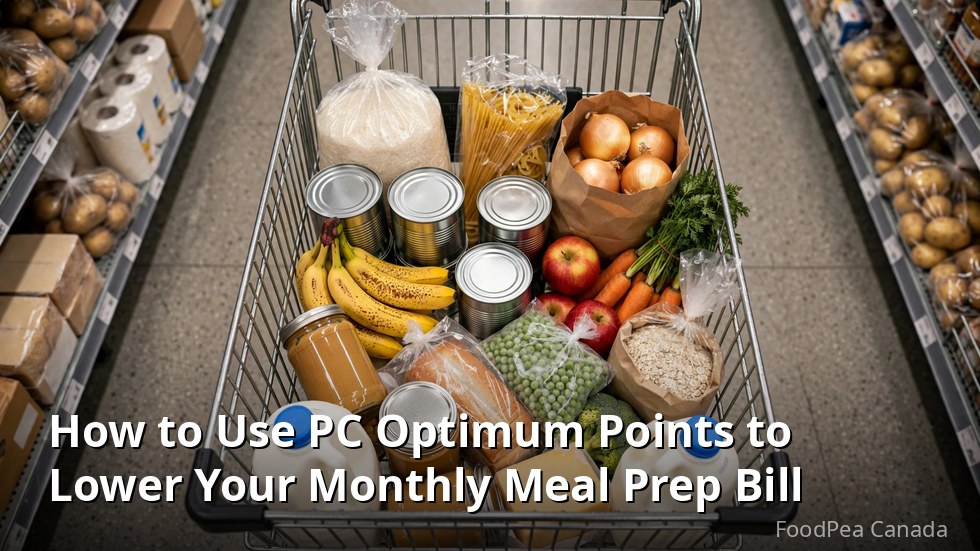
How to Use PC Optimum Points to Lower Your Monthly Meal Prep Bill
If your weekly meal prep shop happens at No Frills, Real Canadian Superstore, or Loblaws, there is a quiet discount sitting on the table every time you check out. These pc optimum points grocery hacks will not ask you to change what you eat or clip a single paper coupon — they just ask you to buy your usual prep staples in the order the loyalty program rewards most.
Here is why meal preppers have an edge. The program hands out personalised offers through its app, plus bonus points on featured items and during special events, and you redeem the points you collect toward groceries at participating stores. A meal prepper buys the same chicken, rice, oats, eggs, and frozen vegetables week after week, in bulk, on a schedule. That predictable, repeat pattern is exactly what personalised offers are built to reward, which means a disciplined prepper can earn on nearly every shop while a casual browser earns sporadically.
In this guide, you will learn how to line up your offers with your prep list, how to stack offers with multi-buys and bonus events, when to redeem and when to hold, and what an illustrative month of points earning can look like. Every figure in the math section is a made-up example to show the mechanics — your real offers will differ, so always check the app for current offers before you plan a shop.
Key Takeaways

- Meal preppers earn faster than casual shoppers because repeat, scheduled buying is exactly what personalised points offers reward.
- Load your offers in the app before every shop, then build your prep menu around staples carrying bonus offers that week.
- Save your biggest stock-up shops — rice, oats, canned tomatoes, frozen veg — for bonus points events.
- Redeem on your priciest shops to keep the most cash in your pocket each month.
- All points math in this article is illustrative only; check the app for your current offers.
How PC Optimum Fits a Meal Prep Routine
PC Optimum is the loyalty program behind Loblaw-family grocery stores across Canada, including No Frills, Real Canadian Superstore, Loblaws, Maxi, and Provigo, as well as Shoppers Drug Mart. It is free to join, and it runs mostly through the app on your phone.
The mechanics are simple in outline. Each week the app serves you personalised offers — bonus points on specific products or categories, tailored loosely to what you tend to buy. On top of that, stores run their own bonus points offers on featured items, and a few times a year the program runs bigger bonus events where you can earn points much faster than usual. Points you collect can later be redeemed toward groceries and other eligible purchases at participating stores, which is where the meal prep savings land.
The important thing for a meal prepper is that none of this requires buying anything extra. You are already buying protein, grains, produce, and dairy every week. The game is simply to buy those same things when they carry offers, and to shift the timing of your big stock-up shops to the weeks when earning is richest. Think of it as a modest rebate you unlock with about ten minutes of planning per week — a rough way to think about it, not a promised rate.
The Best PC Optimum Points Grocery Hacks for Meal Preppers
These are the tactics that consistently separate the preppers who earn a little from the ones who earn a lot. None of them cost money; they just cost a bit of attention.
Load your offers before you write your prep list
Open the app once a week and load every offer you might conceivably use. Loading is free and takes seconds, and an unloaded offer earns nothing even if you buy the product. Make this the first step of your weekly routine, before you decide what you are cooking. Then glance at the list: if chicken thighs, Greek yogurt, or frozen berries carry bonus offers this week, those become the backbone of your prep menu.
Let the offers shape the menu, not the other way around
Most preppers pick recipes first and shop second. Flip it. If ground turkey has an offer but chicken breast does not, your taco bowls become turkey taco bowls. If oats carry bonus points, overnight oats anchor your breakfasts. You still eat the way you like — you just let a nudge from the offers decide between two equally good options. Over a month, that flexibility is worth far more than it looks.
Use multi-buy offers on your non-perishables
Watch for offers structured as “buy several, earn bonus points” on things like canned tomatoes, canned tuna, pasta, rice, or broth. These are the backbone of a prep pantry, they do not spoil, and buying four or six at once is exactly what you would do for a month of meal prep anyway. When a multi-buy offer lines up with a pantry restock, take the full quantity — it is the highest-earning moment in a normal grocery month.
Earn at Shoppers Drug Mart too
Points earned at any participating store land in the same account, and Shoppers Drug Mart periodically runs its biggest bonus events of the year. If you buy pantry-adjacent items there — olive oil, spices, canned goods, or household basics that free up grocery budget — the points still count toward your grocery redemptions. Just remember that grocery redemptions happen at the grocery banners, so plan accordingly.
Stock a Points-Friendly Prep Pantry
Some staples attract offers far more often than others, simply because they are high-volume products the stores want to move. If your pantry is stocked with these, you will almost always have something to earn on:
- Rolled oats and cold cereal — frequent offers, long shelf life, breakfast prep staple.
- Canned tomatoes, tuna, and beans — the classic multi-buy candidates.
- Rice and pasta — bulk formats often carry bonus offers during stock-up events.
- Frozen vegetables and frozen berries — steady offers year-round, and they never go off before prep day.
- Eggs and yogurt — personalised offers on these appear constantly for regular buyers.
- Cooking oils and condiments — slower to earn, but the big bottles last months.
- Chicken and ground meats — the highest-value offers when they appear; buy and freeze.
None of this is exotic. It is the standard meal prep pantry, kept a little deeper than usual so you can buy on the offer cycle instead of on the empty-shelf cycle.
Timing Big Stock-Up Shops to Bonus Points Events
Not all weeks are equal. A few times a year, the program runs bonus events where the earning rate on featured items jumps well above normal. These are announced in the app and in flyers, so keep an eye out rather than trying to predict them.
When one lands, that is your signal to do the big quarterly-style stock-up: the large bag of rice, the case of canned tomatoes, the bulk oats, the family pack of frozen vegetables, the value pack of chicken you portion and freeze. A stock-up shop you were going to do anyway becomes the single biggest points haul of your season. The reverse is also true: in an ordinary week, buy only what you need for that week’s prep and save the heavy lifting for the event weeks.
One more timing trick: if a bonus event overlaps with a personalised offer on the same item, you can often earn on both for a single purchase. The app will show you which offers are active — stack them deliberately instead of discovering them at the till.
An Illustrative Month of Points Math
The table below is a purely illustrative example showing how the mechanics fit together across a month of meal prep shopping. The spend figures, offer types, and points numbers are invented to demonstrate the pattern — they are not predictions, and your actual offers will differ. Always check the app for current offers.
| Week | Illustrative shop | How points are earned (illustrative) | Illustrative points earned |
|---|---|---|---|
| 1 | Monthly stock-up: rice, oats, canned tomatoes, frozen veg, value-pack chicken — about $130 CAD | Bonus points event on pantry staples plus personalised offers on chicken and oats | 8,500 |
| 2 | Weekly fresh top-up: produce, eggs, yogurt, milk — about $70 CAD | Personalised offers on eggs and yogurt | 2,800 |
| 3 | Weekly fresh top-up: produce, cheese, tortillas, fruit — about $65 CAD | Offers on produce and cheese | 2,200 |
| 4 | Mid-size shop: canned tuna, pasta, broth, frozen fruit — about $80 CAD | Multi-buy offer on canned goods plus a personalised offer on frozen fruit | 4,000 |
| Total | About $345 CAD in illustrative grocery spend | — | 17,500 |
| Redemption | Points redeemed toward a grocery shop (illustrative) | Redeemed from the accumulated balance | −15,000 |
Read it as a rhythm, not a promise: one heavy stock-up week timed to an event, three lighter weeks riding personalised offers, and a redemption that takes a visible bite out of one shop. Even if your real numbers land at half of these illustrative figures, the structure still works — the event-timed stock-up does most of the heavy lifting, and the weekly offers keep a steady trickle coming in.
Canadian Meal Prep & Macro Estimator
Enter your costs in $ CAD and get per-portion cost, macros and freezer guidance.
When to Redeem and When to Keep Earning
Earning feels good; redeeming feels better. The question is timing.
Redeem on your most expensive shops
Points redeemed toward groceries reduce the amount you pay at the till, so they stretch furthest on big shops. If you have a $140 stock-up week and a $60 top-up week, redeeming against the $140 shop keeps more cash in your pocket that month. There is no advantage to dribbling out small redemptions — save them for the weeks when the till total hurts.
Keep a buffer for bonus redemption events
From time to time the program runs events where your points redeem for more than usual. If you can afford to wait, holding a balance for one of these events is the single highest-value move in the whole program. Check the app and flyers for announcements, and try not to redeem a large balance the week before one if you can avoid it.
Do not hoard forever
The flip side: points sitting unredeemed are savings you have not actually received. A sensible rule is to redeem anything above your event buffer on your next big shop. Check the program terms in the app for the current policy on account activity and expiry so a dormant balance never surprises you.
Five Mistakes That Quietly Cost Preppers Points
- Shopping before loading offers. The most common and most expensive mistake. Load first, shop second — every single week.
- Ignoring the personalised offers because they look small. A few hundred points on eggs, a few hundred on yogurt — across 52 weeks, the small offers are the bulk of your earn.
- Buying the stock-up haul in an ordinary week. If a bonus event is near and your pantry can survive, wait. Timing is the whole game.
- Redeeming in dribs and drabs. Small redemptions on small shops feel nice and accomplish little. Save redemptions for the big shops and bonus redemption events.
- Forgetting the card or app at the till. No scan, no points. Add the loyalty card to your phone’s wallet so it is always one tap away.
A Ten-Minute Weekly Routine
Here is the whole system compressed into a weekly habit:
- Open the app and load every offer you might use (3 minutes).
- Note which of your staple proteins, grains, and dairy items carry offers (2 minutes).
- Build your prep menu around those staples (3 minutes).
- Check whether a bonus event is running before deciding if this is a stock-up week (2 minutes).
- Shop, scan, and watch the points land on the receipt.
That is it. No spreadsheets, no coupon binders, no extra spending — just the groceries you were already buying, purchased in the order the program rewards. Do it for three months and check your receipts; the pattern tends to speak for itself.

You May Also Like

Walmart Canada $50 CAD Meal Prep Challenge for Single Professionals

Batch Cooking Grain Bowls Using Bulk Barn Grains and Pulses
